





















RESOURCE PLANNING
The resource ledger: a practical solo progression guide
PLAN 01
Choose a useful return before you spend
Asciilands Solo gives BloodMoney2 players a different kind of progression: you move through a small island, collect materials and decide what those materials should become. There is no cash multiplier to purchase and no offline income to collect. Progress comes from completing practical projects, such as assembling a workbench or equipping a gathering tool.
Treat your first session as a sequence of small investments. Choose one result, read its ingredients and gather specifically for that result. A pack full of unrelated objects can look productive while leaving you unable to finish the one recipe you actually want. A clear target makes every return trip easier to judge.
This page hosts Quietwater, an independent single-player development edition inspired by Asciilands. The original game describes a shared multiplayer world; this version does not provide its player economy or social systems. Use this guide for the hosted solo rules, and visit the original creator link for information about their separate game.
PLAN 02
Step 1: learn what counts as a resource
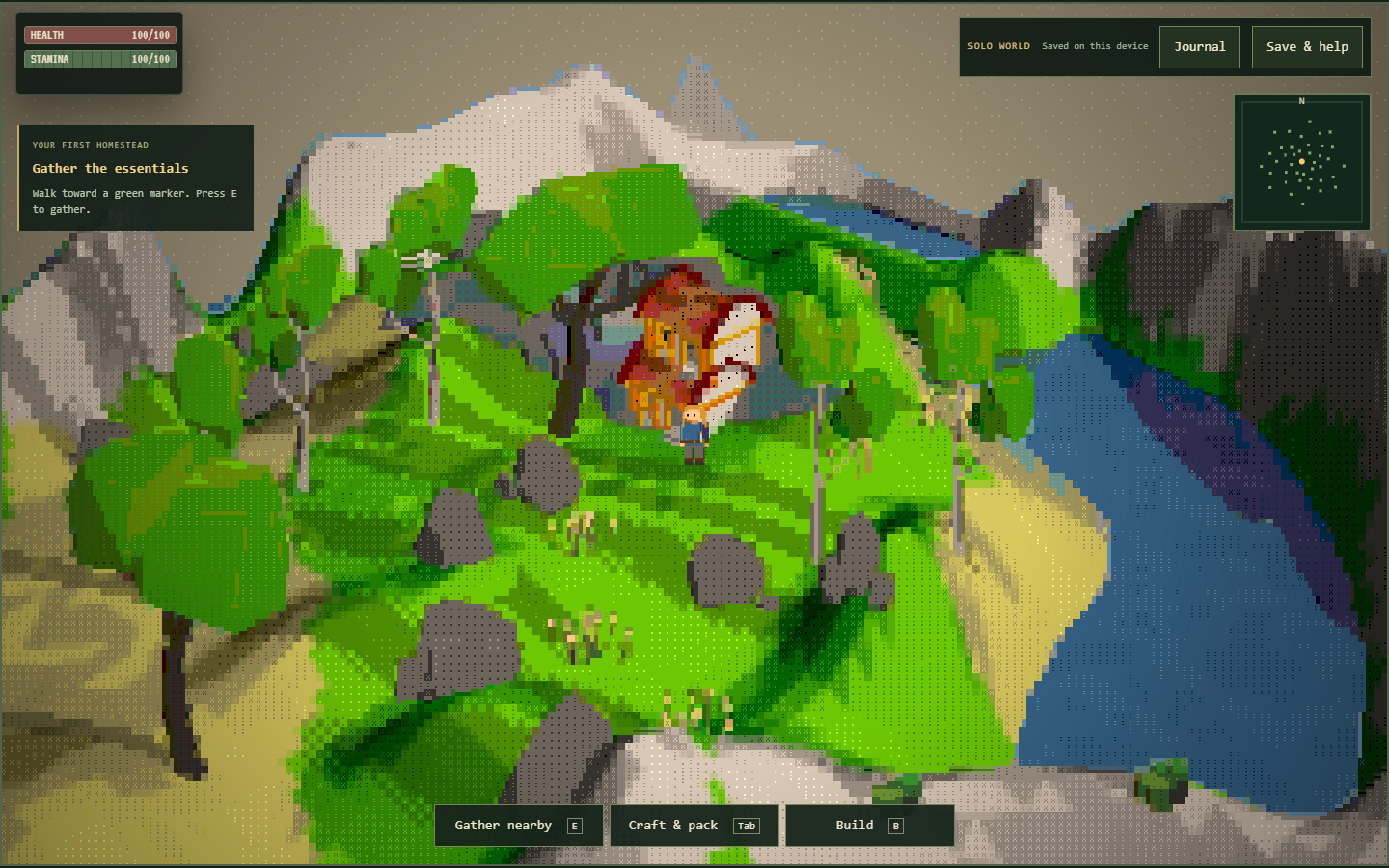
Move with WASD and approach a resource marker before pressing E to gather. The landscape uses ASCII characters as visual scenery, but not every character represents something you can collect. Look for the actual resource nodes and read the game feedback when an action does not produce an item.
Start with wood, stone and fiber. Those three materials lead into planks, sticks, rope and basic tools, so they give you several useful options without requiring an advanced production chain. Berries and fish are available too, but collecting everything immediately is less helpful than completing your first working setup.
Resources can run out temporarily and replenish during active play. If a familiar node stops giving materials, check its state and try another nearby source. Do not interpret an empty node as a broken save or a permanent loss. Likewise, do not plan around an advertised offline reward: this edition has no offline-income feature.
PLAN 03
Step 2: turn two logs into a workbench
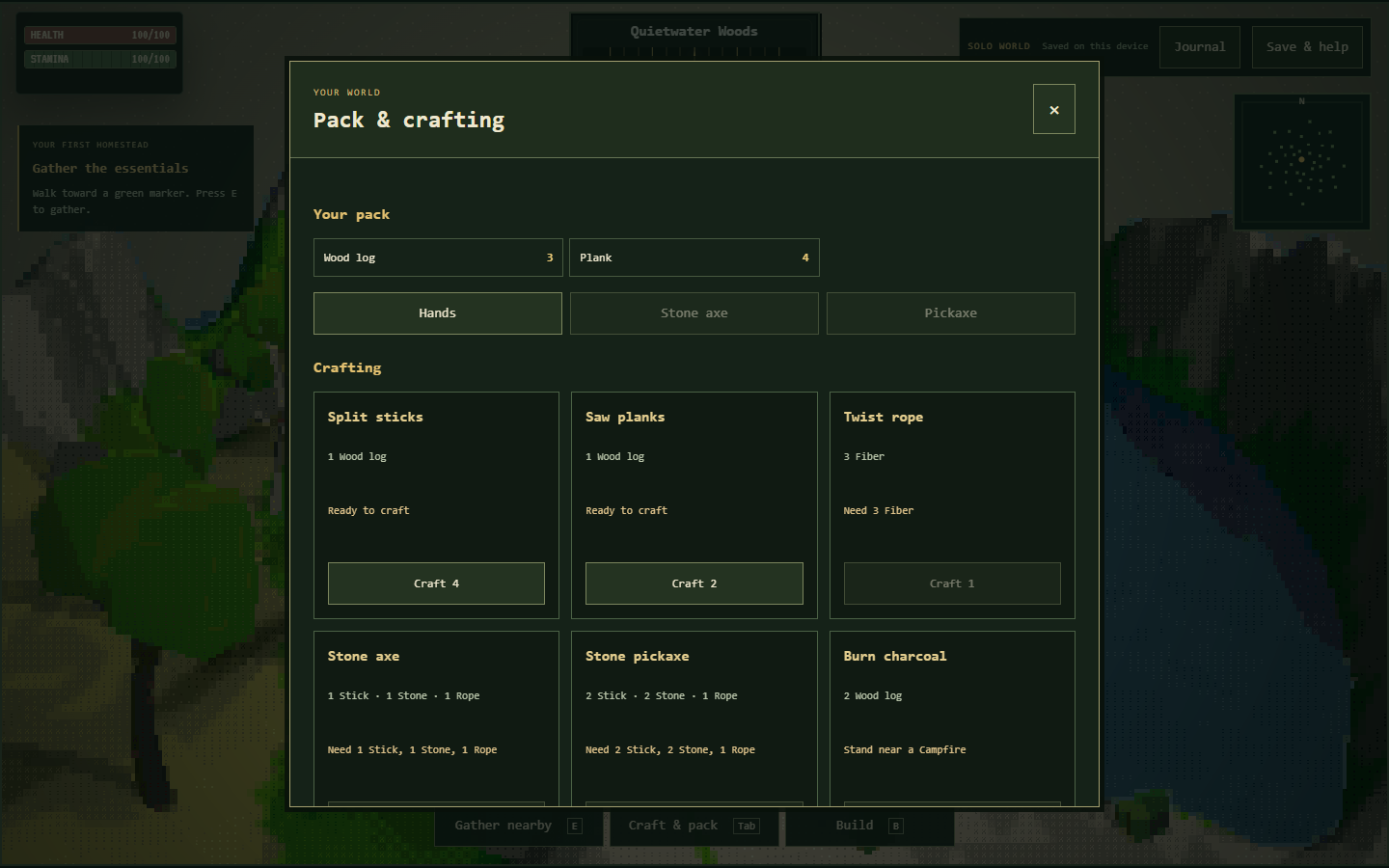
One log produces two planks. A workbench requires four planks, so two logs cover its plank cost. Open the pack and crafting interface with Tab, convert the logs, then use the building controls to place the bench in a clear position that you can easily reach again.
The important distinction is between ingredients and finished structures. Having four planks in your pack does not make a workbench available as a nearby station until you actually place one. Once it exists in the world, stand close to it when attempting recipes that require a workbench.
Avoid spending the same materials twice in your plan. If you convert two logs into the bench, those logs cannot simultaneously pay for a campfire. Keep separate totals for the station you are building now and the project you intend to make next. This small habit prevents most early resource shortages.
PLAN 04
Step 3: calculate the complete tool cost
The stone axe recipe uses one stick, one stone and one rope. The stone pickaxe uses two sticks, two stone and one rope. Both need a nearby workbench. Rope comes from three fiber, while one log produces four sticks, leaving useful spare sticks after either individual tool recipe.
Think in recipe batches rather than imaginary fractions. If a task needs one stick, you still craft the four-stick batch from one log. The remaining sticks stay useful for later work. Your raw-material plan should account for these batch outputs instead of treating every finished ingredient as a separate gathering trip.
After crafting, equip the tool in your pack. Ownership and equipment are different states. An equipped axe improves wood gathering, while an equipped pick improves stone gathering and is required for iron ore. If your result seems unchanged, check the equipment state before assuming that the recipe or resource node failed.
PLAN 05
Compare convenience with decoration
A gathering tool changes repeated actions; a wall changes the shape of your camp. Both are valid goals, but they provide different returns. If you expect to gather a large amount of wood, making and equipping the axe first can make sense before spending several batches of planks on decorative construction.
A foundation costs four planks, a floor costs two, and walls or doorways cost three each. Roof pieces require four planks. These costs give you a way to compare small projects before committing. Start with the outline of your intended space, then add individual pieces while checking the view and movement around it.
The chest is decorative in this edition and costs six planks. It is not extra inventory storage. Build it because it suits your camp, rather than because you expect it to increase carrying capacity. A resource budget is useful only when the feature you are buying actually matches the benefit you expect.
PLAN 06
Use the calculator as a shopping list
The planner above lets you compare supported building recipes and quantities. Change the selection, review the material total and use that result as a shopping list before returning to the game. It does not read your live inventory, subtract resources or place structures on your behalf.
For a campfire, allow three logs and four stone. For a camp, plan ten logs and two rope; producing those ropes requires six fiber. Notice that a raw log requirement is different from a plank requirement. Converting every log immediately can leave you short for a recipe that needs logs directly.
The checklist is also a page aid, not a synchronized quest log. Tick a step when you have personally completed it, and clear it if you want to rehearse the route again. The game journal, opened with J, is separate. Keeping those two purposes clear avoids mistaking a checked webpage box for saved game progress.
PLAN 07
Add a second production station deliberately
The campfire opens another set of recipes. Two logs produce one charcoal there, and three iron ore plus one charcoal produce one iron ingot. You must be close to the campfire when using those recipes. Before gathering ore, confirm that you already have a stone pickaxe equipped.
This chain is longer than the workbench route because it depends on both a tool and a second station. Break it into checkpoints: tool equipped, ore collected, campfire placed, charcoal made, then ingot crafted. If the final recipe fails, inspect the earliest missing checkpoint instead of collecting more of every material.
An ingot is a recipe output in the current solo edition, not a promise of a complete weapon-upgrade tree. Cooking a fish uses one fish and one log at the campfire, but this version does not implement a hunger system. Explore those recipes for collection and crafting goals without assuming hidden survival or combat benefits.
PLAN 08
Place buildings without wasting a session
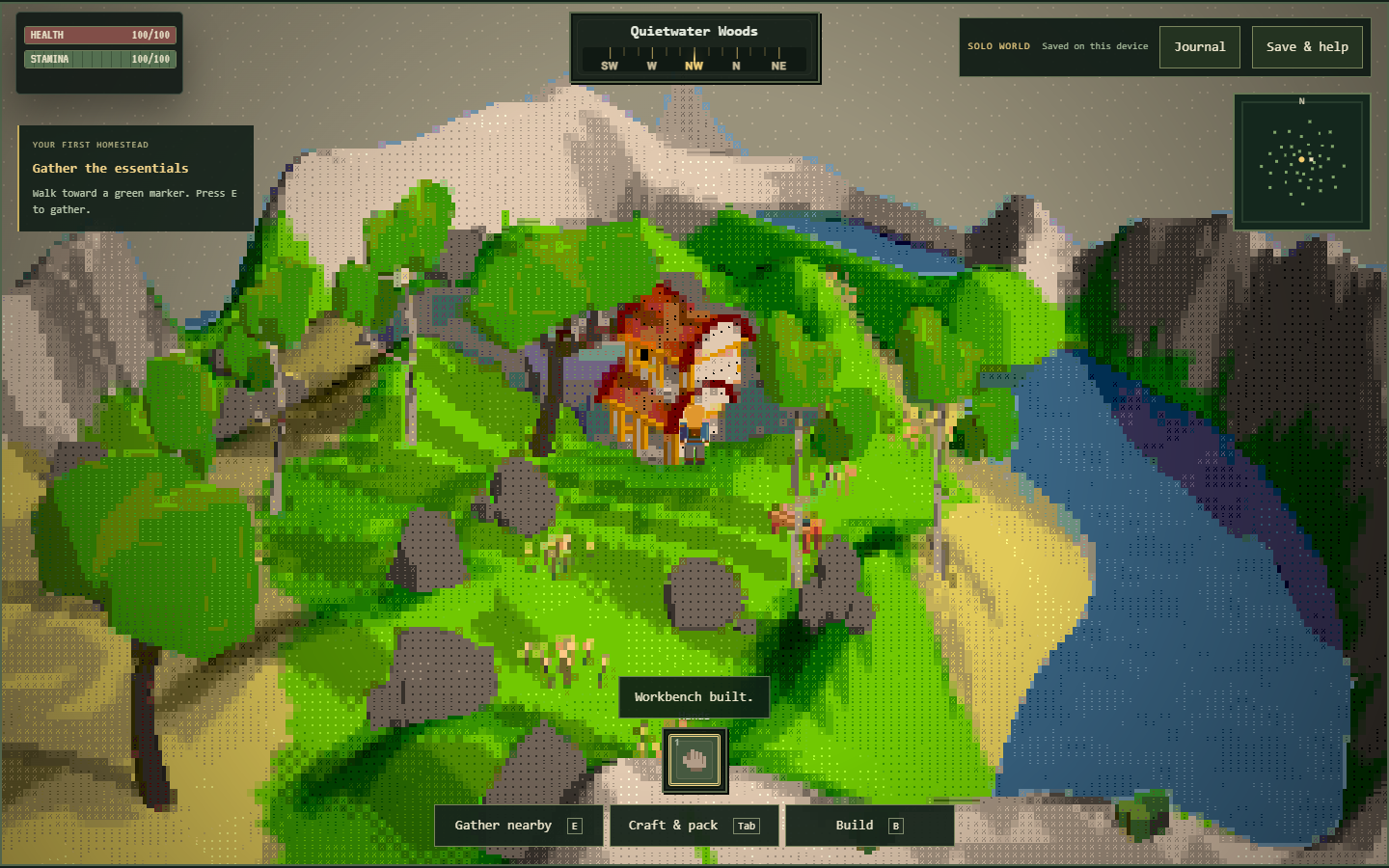
Press B to enter building, choose a structure and look for a valid placement. The game checks the location as well as your resources. A crowded spot, an unsuitable boundary position or a point too far away can prevent placement even when your material totals are correct.
When a build fails, read the feedback and move to a clearer nearby position before changing the recipe. Failed placement does not consume its construction materials. This allows you to adjust the plan without repeatedly paying for rejected attempts, but you should still review the pack if the outcome is unclear.
The dismantle action returns construction materials for valid nearby structures. Use it to revise a small layout when necessary, checking the selected object before confirming the action. Leaving room around the workbench and campfire is usually more practical than packing every object together and making future access awkward.
PLAN 09
Protect the value of what you have built
The game saves locally in your browser and includes a manual save action under Save & help. Check the displayed result when you use it. Browser storage can fail or be cleared, so a visible structure in the current session should not be your only evidence that the world is protected.
Export a JSON backup after a useful milestone, such as finishing the workshop or arranging your first camp. Keep the exported file somewhere you can identify later. This is especially valuable before clearing browser data, changing devices or trying a different browser. There is no account-based cloud synchronization to perform that transfer automatically.
Importing a backup replaces the current world after validation and confirmation. Export the world you are leaving first if you might want it again. Playing inside an iframe and opening the game directly can also expose different browser storage contexts; an explicit export and import is safer than assuming both views share progress.
PLAN 10
Finish with one completed project
A productive short session can end with a single equipped tool and a saved workbench. You do not need a large settlement for the time to count. Choose a stopping point you can recognize, save, and write down the next ingredient you need rather than beginning several unfinished chains at once.
If the game appears stuck, close an open interface with Escape and make sure the game has keyboard focus. If a second tab has changed the world, the older tab may stop writing to protect the save. Use one active game tab and reload deliberately after checking which world you want to continue.
When you want a different pace, the Play More menu and game cards lead to the other games on this site. Each game has its own rules and progression. Coming back to Asciilands is simplest when you have a clear next project and an exported backup, rather than an expectation that another game shares its inventory.