



















Blood Money Game Collection logoBlood Money Game Collection

All Games

Blood Money 2COBB CAN MOVEEpstein ClickerEpstein Puzzle FilesFarm: Merge HarvestFirst BaseKingdom of MarionettesLoveMoneyNormal MathsOrmBrokPoor BunnyRoly PonySad SatanScarlet ShiftSoFlo Wheelie LifeSprunki Looping the RoomsSprunki Phase 10Super Willie World 2The Coffin of Andy and LeyleyZombie MergeGeometry Dash LiteWhen the Clock StopsThe False SunThe Freak CircusKiller ChatHome Is Where He IsJackpot Crash CoursePen FightThe Choicer VoicerOver DoseDracula DropDeath SpiralTADC Dating SimSurvive MinTemple of the JackalUncanny Cat GolfFrankie's Fun HouseSea Shanty DisasterCluck Battle
AboutBlog
New gamesSea Shanty Disaster◆Cluck Battle◆Pen Fight◆New gamesSea Shanty Disaster◆Cluck Battle◆Pen Fight◆

Play Sea Shanty Disaster Online

Hum high and low notes with a local crew, divide horizontal and vertical steering, and guide one shared ship through a tunnel where both axes must arrive together.

Play NowAbout

YouTube

Video will be added later.

Walkthrough

Video will be added later.
Sea Shanty Disaster preview

Sea Shanty Disaster

The game frame loads on demand so the page can render quickly first.

Hot Games

Blood Money 2

Blood Money 2

Manage Harvey Harvington in the Human Expenditure Program. A dark comedy life simulation with moral choices, strategic decisions, resource management, and multiple endings.

Play Game
TADC Dating Sim

TADC Dating Sim

Enter a fan-made Digital Circus visual novel where conversation, timing, and emotional consistency shape every route.

Play Game
COBB CAN MOVE

COBB CAN MOVE

Play COBB CAN MOVE free online on BloodMoney 2. Survive a compact horror run where every new rule changes how light, sound, distance, and movement keep you alive.

Play Game
Survive Min

Survive Min

Enter a close psychological horror conversation where every pause, answer, and boundary changes how safe the room feels.

Play Game
The False Sun

The False Sun

Play The False Sun online free in your browser and step into a slow-burn farm horror visual novel where memory gaps, uneasy warmth, and replayed choices keep changing the truth.

Play Game
Home Is Where He Is

Home Is Where He Is

Play Home Is Where He Is online free in your browser and step into a psychological horror experience where the familiar becomes frightening. Return to the place you once knew, uncover what waits inside, and decide whether to stay or to run.

Play Game
Temple of the Jackal

Temple of the Jackal

Rotate the entire chamber, redirect gravity, connect matching colored orbs, and clear eighteen compact pixel-art puzzles on the route toward the inner temple.

Play Game
Frankie's Fun House

Frankie's Fun House

Guide Ms. Happ from a controlled office routine into a vivid attraction where inspectable objects, inventory pieces, and repeated visual clues form one connected mystery.

Play Game
Death Spiral

Death Spiral

Follow the rotating pointer, choose one committed direction, and survive a compact horror roguelike where every click spends position and time.

Play Game
Dracula Drop

Dracula Drop

Race Count Dracula down a besieged tower, gather blood from invaders, use coffins to resist the dawn, and turn every floor into a faster route toward a higher score.

Play Game
Over Dose

Over Dose

Wake inside a fragile routine, watch Anxiety and Awareness reshape ordinary scenes, and decide whether comfort, caution, or investigation should guide the next choice.

Play Game
The Choicer Voicer

The Choicer Voicer

Give the browser microphone permission, listen closely, perform the prompt in your own voice, and turn every attempt into a tiny game-show experiment.

Play Game
Sea Shanty Disaster

Sea Shanty Disaster

Hum high and low notes with a local crew, divide horizontal and vertical steering, and guide one shared ship through a tunnel where both axes must arrive together.

Play Game
Cluck Battle

Cluck Battle

Cluck, speak, or sustain a safe sound for three seconds and turn live microphone level into a fast comic duel against an escalating ladder of chicken rivals.

Play Game
Pen Fight

Pen Fight

Pull the red pen away from the intended path, release stored force, out-position the blue opponent, and stay on the desk while physics settles the duel.

Play Game
Epstein Clicker

Epstein Clicker

Play Epstein Clicker free online on BloodMoney 2. Click for cash, unlock upgrades, automate income, and push your idle progression faster with every run.

Play Game
Kingdom of Marionettes

Kingdom of Marionettes

Play Kingdom of Marionettes free online on BloodMoney 2. Explore a story-first horror visual novel set in an abandoned puppet theater, make choices, uncover secrets, and survive the night.

Play Game
Sprunki Phase 10

Sprunki Phase 10

Play Sprunki Phase 10 free online on BloodMoney 2. Build layered beats, mix characters, and explore a rhythm sandbox that rewards experimentation, looping sounds, and creative remix sessions.

Play Game
Sprunki Looping the Rooms

Sprunki Looping the Rooms

Play Sprunki Looping the Rooms online on BloodMoney 2. Mix beats in an Incredibox-style music remix mod set in a liminal Backrooms nightmare and uncover hidden horror mode changes.

Play Game

About Sea Shanty Disaster

Sea Shanty Disaster turns one ship whose horizontal and vertical axes belong to different singers into a compact control problem. In the Blood Money Game Collection, that makes it useful to approach the first attempt like a signal test rather than a final score run. Confirm which microphone is active, watch what the interface reports, and notice the delay between making sound and seeing the result. A player who understands that feedback loop can improve without guessing. The visible outcome is only the end of a chain that begins with permission, device choice, distance, room noise, and a clear decision about what the next sound is meant to accomplish.

A reliable experiment is to assign each role clearly and let one caller name the next opening. Hold microphone position, browser settings, and background conditions steady while changing that single behavior. Repeat the result before drawing a conclusion. When a run fails, identify the earliest moment when the screen stopped matching the plan. The final collision or loss may be dramatic, but it is often caused by an earlier calibration mistake, overlapping voice, breath burst, clipped input, or correction that arrived after the useful window. This method turns short attempts into comparable data while preserving the playful character of the game.

Safe input is also better input. Headphones prevent game audio from returning through speakers, a stable distance reduces sudden level changes, and comfortable speech or humming is easier to repeat than a strained performance. Do not treat microphone play as a contest to become endlessly louder. Adjust placement and gain first, pause when the voice feels tired, and never pressure another participant to be recorded. Once the opening routine works, keep it unchanged and focus on the next uncertain section. Controlled replay saves attention for decisions that actually differ and makes progress easier to explain.

Browser behavior belongs in the strategy because embedded games depend on permission and focus. Click inside the frame after loading, reload once after changing access, and close conferencing or recording software that may hold the microphone. On mobile, keep the browser in the foreground and use the orientation that preserves the entire interface. Private windows, managed devices, and aggressive privacy extensions may block capture or storage. Testing ordinary speech in system settings helps distinguish a hardware problem from a game-specific one before repeated refreshing turns a simple permission issue into frustration.

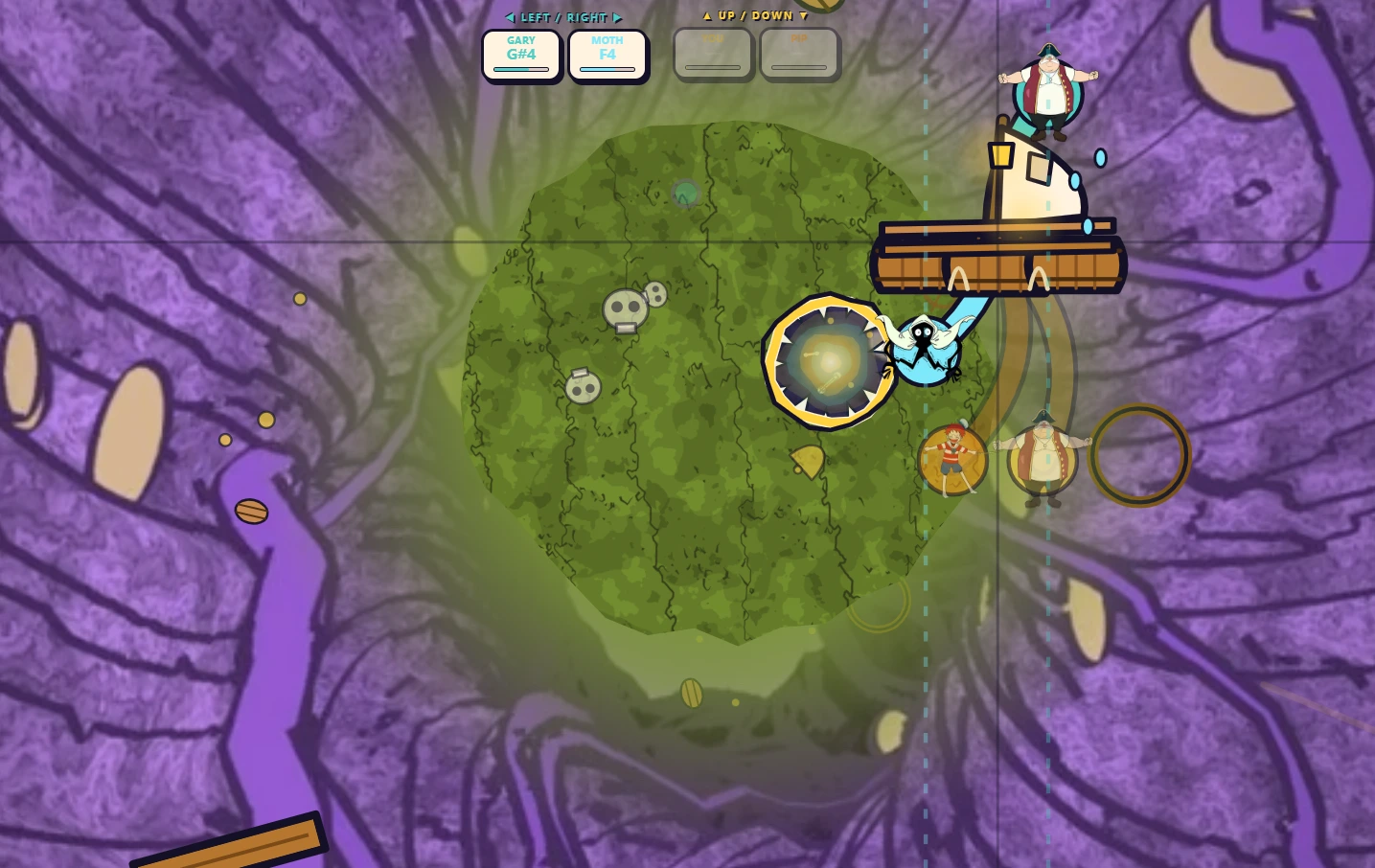
Sea Shanty Disaster Music & Rhythm gameplay scene 1

Sea Shanty Disaster Details 2

This browser game turns comfortable high and low pitch zones that must remain repeatable into a compact control problem. In the Blood Money Game Collection, that makes it useful to approach the first attempt like a signal test rather than a final score run. Confirm which microphone is active, watch what the interface reports, and notice the delay between making sound and seeing the result. A player who understands that feedback loop can improve without guessing. The visible outcome is only the end of a chain that begins with permission, device choice, distance, room noise, and a clear decision about what the next sound is meant to accomplish.

A reliable experiment is to calibrate naturally and test each direction before beginning a serious run. Hold microphone position, browser settings, and background conditions steady while changing that single behavior. Repeat the result before drawing a conclusion. When a run fails, identify the earliest moment when the screen stopped matching the plan. The final collision or loss may be dramatic, but it is often caused by an earlier calibration mistake, overlapping voice, breath burst, clipped input, or correction that arrived after the useful window. This method turns short attempts into comparable data while preserving the playful character of the game.

Safe input is also better input. Headphones prevent game audio from returning through speakers, a stable distance reduces sudden level changes, and comfortable speech or humming is easier to repeat than a strained performance. Do not treat microphone play as a contest to become endlessly louder. Adjust placement and gain first, pause when the voice feels tired, and never pressure another participant to be recorded. Once the opening routine works, keep it unchanged and focus on the next uncertain section. Controlled replay saves attention for decisions that actually differ and makes progress easier to explain.

Browser behavior belongs in the strategy because embedded games depend on permission and focus. Click inside the frame after loading, reload once after changing access, and close conferencing or recording software that may hold the microphone. On mobile, keep the browser in the foreground and use the orientation that preserves the entire interface. Private windows, managed devices, and aggressive privacy extensions may block capture or storage. Testing ordinary speech in system settings helps distinguish a hardware problem from a game-specific one before repeated refreshing turns a simple permission issue into frustration.
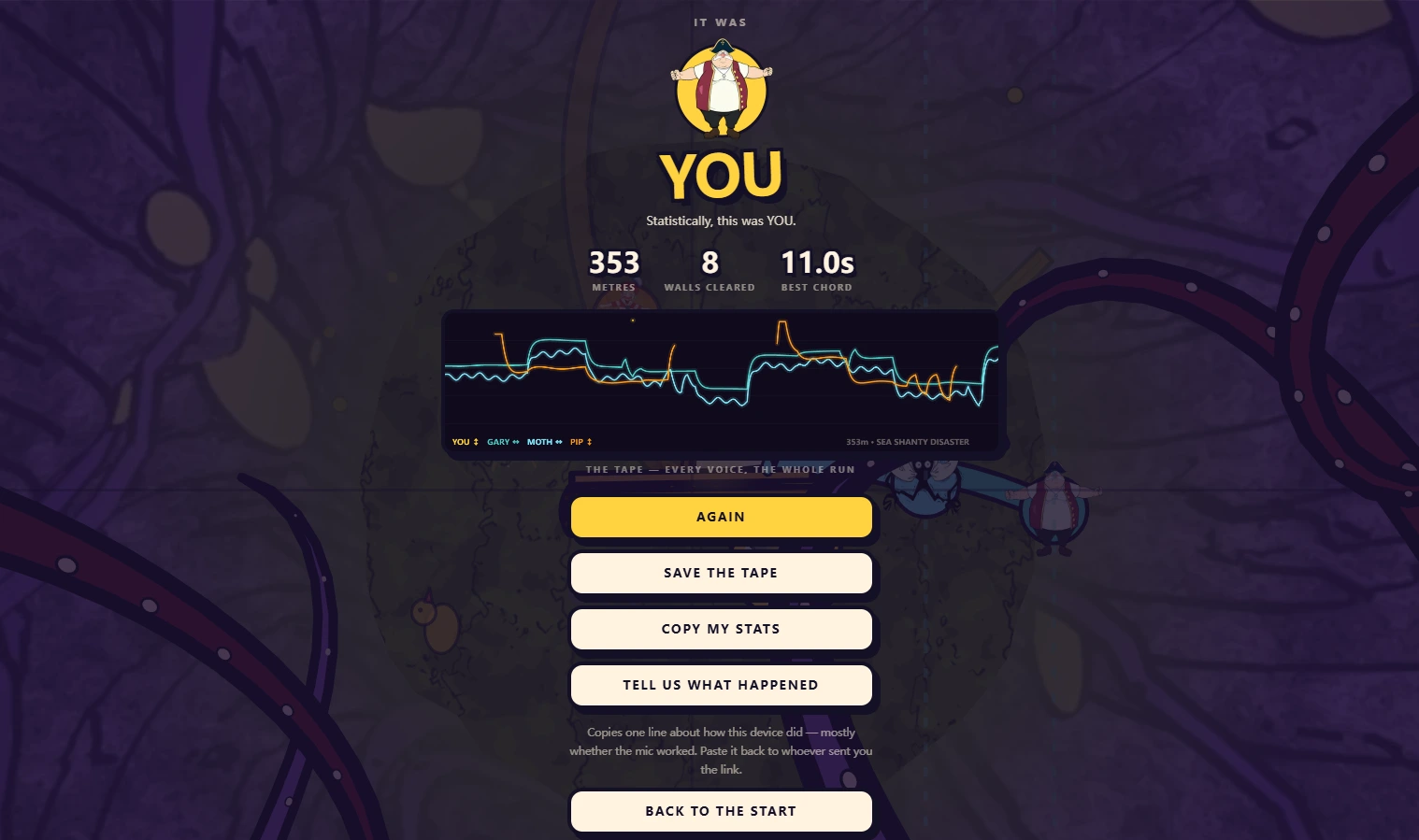
Sea Shanty Disaster Music & Rhythm gameplay scene 2

Sea Shanty Disaster Details 3

This browser game turns horizontal and vertical corrections that must meet at one point at the same time into a compact control problem. In the Blood Money Game Collection, that makes it useful to approach the first attempt like a signal test rather than a final score run. Confirm which microphone is active, watch what the interface reports, and notice the delay between making sound and seeing the result. A player who understands that feedback loop can improve without guessing. The visible outcome is only the end of a chain that begins with permission, device choice, distance, room noise, and a clear decision about what the next sound is meant to accomplish.

A reliable experiment is to look ahead and begin the slower or farther correction first. Hold microphone position, browser settings, and background conditions steady while changing that single behavior. Repeat the result before drawing a conclusion. When a run fails, identify the earliest moment when the screen stopped matching the plan. The final collision or loss may be dramatic, but it is often caused by an earlier calibration mistake, overlapping voice, breath burst, clipped input, or correction that arrived after the useful window. This method turns short attempts into comparable data while preserving the playful character of the game.

Safe input is also better input. Headphones prevent game audio from returning through speakers, a stable distance reduces sudden level changes, and comfortable speech or humming is easier to repeat than a strained performance. Do not treat microphone play as a contest to become endlessly louder. Adjust placement and gain first, pause when the voice feels tired, and never pressure another participant to be recorded. Once the opening routine works, keep it unchanged and focus on the next uncertain section. Controlled replay saves attention for decisions that actually differ and makes progress easier to explain.

Browser behavior belongs in the strategy because embedded games depend on permission and focus. Click inside the frame after loading, reload once after changing access, and close conferencing or recording software that may hold the microphone. On mobile, keep the browser in the foreground and use the orientation that preserves the entire interface. Private windows, managed devices, and aggressive privacy extensions may block capture or storage. Testing ordinary speech in system settings helps distinguish a hardware problem from a game-specific one before repeated refreshing turns a simple permission issue into frustration.

Sea Shanty Disaster Music & Rhythm gameplay scene 3

Sea Shanty Disaster Details 4

This browser game turns held tones that create clearer detection than uncontrolled slides into a compact control problem. In the Blood Money Game Collection, that makes it useful to approach the first attempt like a signal test rather than a final score run. Confirm which microphone is active, watch what the interface reports, and notice the delay between making sound and seeing the result. A player who understands that feedback loop can improve without guessing. The visible outcome is only the end of a chain that begins with permission, device choice, distance, room noise, and a clear decision about what the next sound is meant to accomplish.

A reliable experiment is to enter a pitch zone decisively and release before making the opposite correction. Hold microphone position, browser settings, and background conditions steady while changing that single behavior. Repeat the result before drawing a conclusion. When a run fails, identify the earliest moment when the screen stopped matching the plan. The final collision or loss may be dramatic, but it is often caused by an earlier calibration mistake, overlapping voice, breath burst, clipped input, or correction that arrived after the useful window. This method turns short attempts into comparable data while preserving the playful character of the game.

Safe input is also better input. Headphones prevent game audio from returning through speakers, a stable distance reduces sudden level changes, and comfortable speech or humming is easier to repeat than a strained performance. Do not treat microphone play as a contest to become endlessly louder. Adjust placement and gain first, pause when the voice feels tired, and never pressure another participant to be recorded. Once the opening routine works, keep it unchanged and focus on the next uncertain section. Controlled replay saves attention for decisions that actually differ and makes progress easier to explain.

Browser behavior belongs in the strategy because embedded games depend on permission and focus. Click inside the frame after loading, reload once after changing access, and close conferencing or recording software that may hold the microphone. On mobile, keep the browser in the foreground and use the orientation that preserves the entire interface. Private windows, managed devices, and aggressive privacy extensions may block capture or storage. Testing ordinary speech in system settings helps distinguish a hardware problem from a game-specific one before repeated refreshing turns a simple permission issue into frustration.

Sea Shanty Disaster Details 5

This browser game turns speaker feedback and room conversation that can become unwanted steering into a compact control problem. In the Blood Money Game Collection, that makes it useful to approach the first attempt like a signal test rather than a final score run. Confirm which microphone is active, watch what the interface reports, and notice the delay between making sound and seeing the result. A player who understands that feedback loop can improve without guessing. The visible outcome is only the end of a chain that begins with permission, device choice, distance, room noise, and a clear decision about what the next sound is meant to accomplish.

A reliable experiment is to isolate the active microphone and reserve humming for the assigned players. Hold microphone position, browser settings, and background conditions steady while changing that single behavior. Repeat the result before drawing a conclusion. When a run fails, identify the earliest moment when the screen stopped matching the plan. The final collision or loss may be dramatic, but it is often caused by an earlier calibration mistake, overlapping voice, breath burst, clipped input, or correction that arrived after the useful window. This method turns short attempts into comparable data while preserving the playful character of the game.

Safe input is also better input. Headphones prevent game audio from returning through speakers, a stable distance reduces sudden level changes, and comfortable speech or humming is easier to repeat than a strained performance. Do not treat microphone play as a contest to become endlessly louder. Adjust placement and gain first, pause when the voice feels tired, and never pressure another participant to be recorded. Once the opening routine works, keep it unchanged and focus on the next uncertain section. Controlled replay saves attention for decisions that actually differ and makes progress easier to explain.

Browser behavior belongs in the strategy because embedded games depend on permission and focus. Click inside the frame after loading, reload once after changing access, and close conferencing or recording software that may hold the microphone. On mobile, keep the browser in the foreground and use the orientation that preserves the entire interface. Private windows, managed devices, and aggressive privacy extensions may block capture or storage. Testing ordinary speech in system settings helps distinguish a hardware problem from a game-specific one before repeated refreshing turns a simple permission issue into frustration.

Sea Shanty Disaster Details 6

This browser game turns calls that help coordination only when they do not overlap the sound used for control into a compact control problem. In the Blood Money Game Collection, that makes it useful to approach the first attempt like a signal test rather than a final score run. Confirm which microphone is active, watch what the interface reports, and notice the delay between making sound and seeing the result. A player who understands that feedback loop can improve without guessing. The visible outcome is only the end of a chain that begins with permission, device choice, distance, room noise, and a clear decision about what the next sound is meant to accomplish.

A reliable experiment is to use short planning words before the active note and stay quiet while it is held. Hold microphone position, browser settings, and background conditions steady while changing that single behavior. Repeat the result before drawing a conclusion. When a run fails, identify the earliest moment when the screen stopped matching the plan. The final collision or loss may be dramatic, but it is often caused by an earlier calibration mistake, overlapping voice, breath burst, clipped input, or correction that arrived after the useful window. This method turns short attempts into comparable data while preserving the playful character of the game.

Safe input is also better input. Headphones prevent game audio from returning through speakers, a stable distance reduces sudden level changes, and comfortable speech or humming is easier to repeat than a strained performance. Do not treat microphone play as a contest to become endlessly louder. Adjust placement and gain first, pause when the voice feels tired, and never pressure another participant to be recorded. Once the opening routine works, keep it unchanged and focus on the next uncertain section. Controlled replay saves attention for decisions that actually differ and makes progress easier to explain.

Browser behavior belongs in the strategy because embedded games depend on permission and focus. Click inside the frame after loading, reload once after changing access, and close conferencing or recording software that may hold the microphone. On mobile, keep the browser in the foreground and use the orientation that preserves the entire interface. Private windows, managed devices, and aggressive privacy extensions may block capture or storage. Testing ordinary speech in system settings helps distinguish a hardware problem from a game-specific one before repeated refreshing turns a simple permission issue into frustration.

Sea Shanty Disaster Details 7

This browser game turns failure evidence that separates timing, direction, and overshoot into a compact control problem. In the Blood Money Game Collection, that makes it useful to approach the first attempt like a signal test rather than a final score run. Confirm which microphone is active, watch what the interface reports, and notice the delay between making sound and seeing the result. A player who understands that feedback loop can improve without guessing. The visible outcome is only the end of a chain that begins with permission, device choice, distance, room noise, and a clear decision about what the next sound is meant to accomplish.

A reliable experiment is to name which axis arrived early or late and change only that cue next time. Hold microphone position, browser settings, and background conditions steady while changing that single behavior. Repeat the result before drawing a conclusion. When a run fails, identify the earliest moment when the screen stopped matching the plan. The final collision or loss may be dramatic, but it is often caused by an earlier calibration mistake, overlapping voice, breath burst, clipped input, or correction that arrived after the useful window. This method turns short attempts into comparable data while preserving the playful character of the game.

Safe input is also better input. Headphones prevent game audio from returning through speakers, a stable distance reduces sudden level changes, and comfortable speech or humming is easier to repeat than a strained performance. Do not treat microphone play as a contest to become endlessly louder. Adjust placement and gain first, pause when the voice feels tired, and never pressure another participant to be recorded. Once the opening routine works, keep it unchanged and focus on the next uncertain section. Controlled replay saves attention for decisions that actually differ and makes progress easier to explain.

Browser behavior belongs in the strategy because embedded games depend on permission and focus. Click inside the frame after loading, reload once after changing access, and close conferencing or recording software that may hold the microphone. On mobile, keep the browser in the foreground and use the orientation that preserves the entire interface. Private windows, managed devices, and aggressive privacy extensions may block capture or storage. Testing ordinary speech in system settings helps distinguish a hardware problem from a game-specific one before repeated refreshing turns a simple permission issue into frustration.

Sea Shanty Disaster Details 8

This browser game turns crew members who make stronger calls after understanding both jobs into a compact control problem. In the Blood Money Game Collection, that makes it useful to approach the first attempt like a signal test rather than a final score run. Confirm which microphone is active, watch what the interface reports, and notice the delay between making sound and seeing the result. A player who understands that feedback loop can improve without guessing. The visible outcome is only the end of a chain that begins with permission, device choice, distance, room noise, and a clear decision about what the next sound is meant to accomplish.

A reliable experiment is to practice each axis and swap roles before deciding that one player is the problem. Hold microphone position, browser settings, and background conditions steady while changing that single behavior. Repeat the result before drawing a conclusion. When a run fails, identify the earliest moment when the screen stopped matching the plan. The final collision or loss may be dramatic, but it is often caused by an earlier calibration mistake, overlapping voice, breath burst, clipped input, or correction that arrived after the useful window. This method turns short attempts into comparable data while preserving the playful character of the game.

Safe input is also better input. Headphones prevent game audio from returning through speakers, a stable distance reduces sudden level changes, and comfortable speech or humming is easier to repeat than a strained performance. Do not treat microphone play as a contest to become endlessly louder. Adjust placement and gain first, pause when the voice feels tired, and never pressure another participant to be recorded. Once the opening routine works, keep it unchanged and focus on the next uncertain section. Controlled replay saves attention for decisions that actually differ and makes progress easier to explain.

Browser behavior belongs in the strategy because embedded games depend on permission and focus. Click inside the frame after loading, reload once after changing access, and close conferencing or recording software that may hold the microphone. On mobile, keep the browser in the foreground and use the orientation that preserves the entire interface. Private windows, managed devices, and aggressive privacy extensions may block capture or storage. Testing ordinary speech in system settings helps distinguish a hardware problem from a game-specific one before repeated refreshing turns a simple permission issue into frustration.

Sea Shanty Disaster Sea Shanty Disaster Features

Sea Shanty Disaster Features

Track one ship whose horizontal and vertical axes belong to different singers, then compare the visible feedback with the sound, timing, and setup that created it.

Sea Shanty Disaster Sea Shanty Disaster Highlights 1

Sea Shanty Disaster Highlights 1

Track comfortable high and low pitch zones that must remain repeatable, then compare the visible feedback with the sound, timing, and setup that created it.

Sea Shanty Disaster Sea Shanty Disaster Highlights 2

Sea Shanty Disaster Highlights 2

Track horizontal and vertical corrections that must meet at one point at the same time, then compare the visible feedback with the sound, timing, and setup that created it.

Sea Shanty Disaster Sea Shanty Disaster Highlights 3

Sea Shanty Disaster Highlights 3

Track held tones that create clearer detection than uncontrolled slides, then compare the visible feedback with the sound, timing, and setup that created it.

Sea Shanty Disaster Screenshots

Sea Shanty Disaster microphone browser game cover
Sea Shanty Disaster gameplay screenshot 1
Sea Shanty Disaster gameplay screenshot 2
Sea Shanty Disaster gameplay screenshot 3

Sea Shanty Disaster FAQ

Can I play Sea Shanty Disaster online?▾
Yes. Load the embedded browser build and grant microphone permission when prompted.
How is the ship controlled?▾
High and low notes choose directions while horizontal and vertical movement are divided between crew roles.
Do I need singing training?▾
No. Clear and comfortable pitch zones matter more than musical polish.
Why should I use headphones?▾
They prevent music and other voices from returning through speakers and affecting steering.
Can I practice alone?▾
Practice options can help a player understand each role before organizing a local crew.
Why does the ship drift?▾
Recheck calibration, microphone selection, room noise, feedback, and overlapping singers.
Does it work on mobile?▾
It may work in a current mobile browser, although microphone and fullscreen behavior vary.
Why are the video boxes empty?▾
No accurate video addresses were supplied, so they remain reserved for a later update.
Is this the official website?▾
No. This is an independent collection page with the supplied embed and an original guide.

Play Sea Shanty Disaster Online

Prepare the microphone, load the browser game, and turn each short attempt into a clearer music & rhythm strategy.

Play Now

Popular Games

Back Home
Temple of the Jackal

Temple of the Jackal

Frankie's Fun House

Frankie's Fun House

Uncanny Cat Golf

Uncanny Cat Golf

Jackpot Crash Course

Jackpot Crash Course

🎮Blood Money Game Collection

Play BloodMoney 2 and explore sandbox, puzzle, horror, platformer, and rhythm browser games from the collection homepage.

🔗Quick Links

  • BloodMoney 2
  • About
  • Blog
  • Categories
  • Games ▾
    • The False Sun
    • BloodMoney 2
    • Cobb Can Move
    • Home Is Where He Is
    • Survive Min
    • TADC Dating Sim
    • Temple of the Jackal
    • Frankie's Fun House
    • Choicer Voicer
    • Pen Fight

⚖️Legal

  • Privacy Policy
  • Terms of Service
  • Cookie Policy
  • Contact

© 2026 bloodmoney2.app. All rights reserved.